Claude for social media managers: 8 jobs it does for you
Not just captions. How freelancers use Claude to find leads, audit pages, write outreach, plan content and report results, plus 2 prompts you can use today.
Claude can do 8 core jobs for a freelance social media manager: find leads (with Claude in Chrome), audit pages, draft outreach, write client briefs, plan monthly content, write posts, build reports and draft proposals. The fastest setup is Claude Skills: saved instructions you upload once, so you ask in one line instead of rewriting long prompts.
Why Claude, and what’s different for freelancers
Most “Claude for social media” guides are written by scheduling tools, so they focus on connecting Claude to their app and posting for you. That’s useful for brands. A freelancer’s bottleneck is different: finding clients, winning them and keeping them, while producing content for several businesses at once.
Claude is strong at the parts that eat your time: reading a page and spotting problems, writing in a specific voice, and turning messy notes into clean documents.
The 8 jobs Claude can do for a social media manager
With Claude in Chrome, Claude can open Google Maps and Instagram pages and check which businesses look like they need help. You decide who to message.
Paste what you see on a profile and Claude turns it into 3 specific, friendly fixes.
Claude drafts a short, personal first message from real details. You edit it and send it yourself.
Turn your call notes into a 1-page client brief: goals, voice, offers, do’s and don’ts.
A 30-day content calendar built around the client’s pillars, offers and holidays.
Captions, hooks and short-video scripts in the client’s voice, ready for you to polish.
Paste the month’s numbers and get a 1-page report the owner will actually read.
Call notes into a clear proposal: what you heard, the 90-day plan, scope and price.
2 prompts you can use today
Prompt 1: the 3-fix audit
Prompt 2: the first message
Want more on what makes that message work? See DM templates for social media managers and the 6-check audit.
Finding leads with Claude in Chrome
Claude in Chrome is a browser extension that lets Claude read and navigate web pages in your own browser. For a social media manager, that means Claude can go through a list of local businesses, open each Instagram and Google listing, and note the signs that they need help: last post date, rating, reviews, missing booking link.
Claude reads. You send. Use Claude in Chrome to research and draft, but send every message yourself. That keeps you within each platform’s rules and keeps every message personal.
Claude Skills: stop re-typing the same prompts
A Claude Skill is a saved set of instructions for one job, like “write a monthly report the way I like it.” You upload it once. After that, you ask in one line (“monthly report for Glow Studio, here are the numbers”) and Claude follows your full process every time.
For a freelancer with several clients, that’s the difference between rewriting a long prompt 20 times a month and asking once. See the 8 Claude Skills for social media managers.
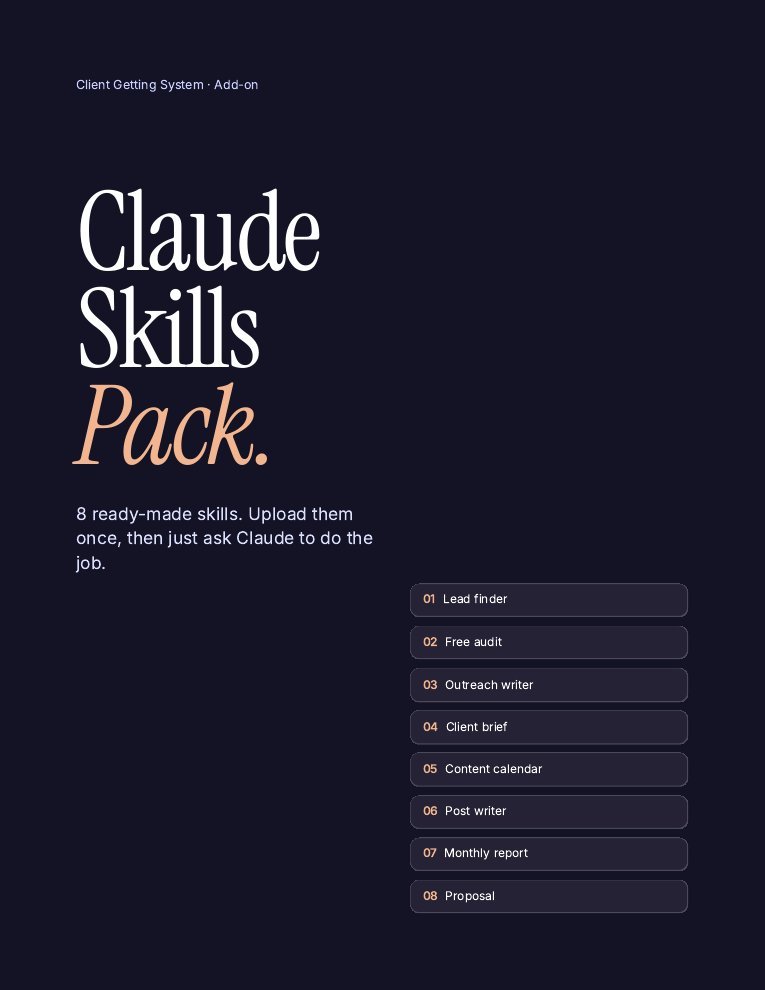
The Claude Skills Pack for SMMs
8 ready-made Claude Skills for every job above. Upload once, then just ask.
- Lead finder (with a Claude in Chrome read-only mode)
- Free audit + outreach writer
- Client brief + 30-day content calendar
- Post writer for captions, hooks and reels
- Monthly report + proposal writer
One payment · Instant download · Install guide included
Want the full client-getting system with scripts, tracker and templates as well? See the store.
The rules: what Claude shouldn’t do
- Don’t auto-send. No bots, no mass DMs. You send each message.
- Don’t invent facts. Check every number, review and claim before it goes out.
- Don’t post without approval. The client approves content, not the AI.
- Protect client data. Don’t paste passwords or private customer details into any AI tool.
- Keep the voice human. Edit drafts so they sound like the business, not like a chatbot.
FAQ
Can Claude manage social media by itself?
Claude can draft, plan, research and analyze, and some tools connect it to schedulers. For client work, a person should still approve content, send outreach and stay accountable for results.
What can Claude do for a social media manager?
Find and research leads, audit profiles, draft outreach, write client briefs, plan content calendars, write captions and scripts, build monthly reports and draft proposals.
What is Claude in Chrome?
A browser extension that lets Claude read and navigate pages in your Chrome browser. Social media managers can use it to research businesses and check their profiles before reaching out.
What are Claude Skills?
Saved instruction sets for specific jobs. You upload a Skill once, and Claude uses it whenever you ask for that job, so you don’t rewrite long prompts every time.
Is Claude better than ChatGPT for social media?
Both are capable. Many marketers like Claude for natural-sounding writing and following detailed instructions. The best choice is the one that fits your workflow, so try both on a real task.
Is it okay to use AI for client content?
Yes, if you review everything, keep facts accurate, follow platform rules and tell clients if they ask how you work. The value you sell is judgment and results, not typing.
Keep reading
Sources
- Job list and prompts based on the SMM Playbook Claude Skills Pack and Run It With Claude guide (2026).
General information, not legal, tax or financial advice. Results depend on your effort and market. See our earnings disclaimer.