How to find leads with Claude (no paid database)
Most guides show B2B sales tools wired to Claude. This one is for freelancers finding local businesses: Claude in Chrome reads the listings, you decide who to message.
To find leads with Claude: (1) define exactly who you want, like “nail salons in Austin with 4.5+ stars and a quiet Instagram,” (2) let Claude in Chrome open Google Maps and each Instagram profile and note what it sees, (3) have Claude score each lead with clear rules and put them in a table, and (4) review the list and send personal messages yourself. No paid database, no scraping tools, no auto-sending.
Why Claude works for local business leads
B2B lead tools sell databases of emails and job titles. Local businesses don’t live in those databases. They live on Google Maps and Instagram, which are public. What you need isn’t more data. It’s someone to read 100 listings and tell you which 20 are worth a message. That’s exactly what Claude is good at.
What you need
- Claude (the free plan works for drafting and scoring; a paid plan gives you more usage).
- Claude in Chrome, the browser extension that lets Claude read and navigate pages in your Chrome.
- A clear target: one niche, one town, and the signs that mean “needs help.”
- A Google Sheet to keep the list and track follow-ups.
The 4-step method
Define the lead
Write one line: niche, town, and signals. Example: “Nail salons in Austin, 4.5+ stars, 20+ reviews, no Instagram post in 2+ weeks.” See the 4 signs a business needs you.
Let Claude read the listings
With Claude in Chrome, ask Claude to search Google Maps for your niche and town, open each business, and note rating, review count, website and Instagram link. Then open each Instagram and note the last post date and anything obviously missing (bio link, hours, replies). Watch it work and stop it anytime.
Score and sort
Ask Claude to give 1 point per sign (0–4) and return a table sorted by score. Copy it into your sheet.
You review and send
Check the top 20 yourself. Write a 3-fix audit for each and send a personal message. Claude can draft it, but you edit and send it, one at a time. See DM templates.
A lead-scoring prompt
The line “only use facts from my notes” matters. It stops Claude guessing.
Skip the setup: the Lead Finder skill
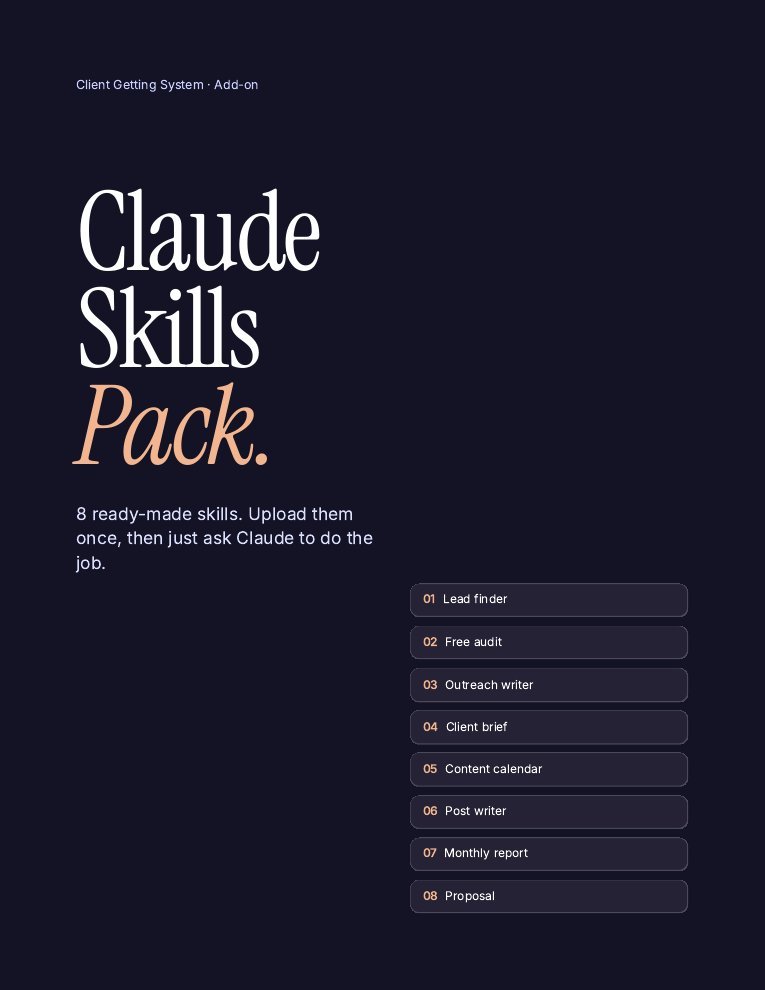
The Claude Skills Pack includes smm-lead-finder, with a read-only Claude in Chrome mode, a scoring system and a tracker-ready table, plus 7 more skills for audits, outreach and client work.
- Lead finder with Claude in Chrome read-only mode
- Free audit + outreach writer
- Proposal, brief, calendar, posts, monthly report
- Install guide (PDF)
One payment · Instant download · Install guide included
What Claude can’t do (and what to do instead)
| Limit | What to do |
|---|---|
| It can misread or guess details | Tell it to use only what it sees and say “unknown” otherwise. Spot-check the top leads. |
| It can’t verify private emails | Don’t hunt for personal emails. Use the business’s public DM, contact form or listed email. |
| Some pages need you logged in | Stay on public pages. Don’t share passwords with any AI. |
| It doesn’t know who’s ready to buy | That’s what your audit and first message find out. |
Rules to stay safe (and get replies)
- Claude reads, you send. No auto-DMs, no bots, no mass messaging.
- Public info only. Business listings and public profiles.
- Go slow. A few dozen businesses a session is plenty.
- Respect “no.” Stop after 3 follow-ups or a no.
- Follow local rules for business outreach where you and they live.
Want the full client-getting process? Read how to get social media management clients.
FAQ
Can Claude find leads for me?
Yes. With Claude in Chrome, Claude can open public listings like Google Maps and Instagram profiles, note what it sees, and score leads by your rules. You review the list and send messages yourself.
Do I need a paid lead database?
Not for local businesses. Their public Google listing and Instagram tell you almost everything you need to decide who to contact.
What is Claude in Chrome?
A browser extension that lets Claude read and navigate pages in your own Chrome browser, so it can research businesses while you watch.
Can Claude send outreach messages automatically?
Don’t. Automated DMs break platform rules and get ignored. Let Claude draft, then edit and send each message yourself.
How accurate are Claude's lead notes?
Usually good, but not perfect. Ask it to use only what it sees and mark unknowns, then check your top leads before messaging.
Does this work with the free Claude plan?
Drafting and scoring work on the free plan. Browser features and higher usage limits depend on your plan, so check Claude’s current plans.
Keep reading
Sources
- Claude Help Center for current Claude in Chrome availability and plans.
- Method based on the SMM Playbook Lead Finder skill and Run It With Claude guide (2026).
General information, not legal, tax or financial advice. Results depend on your effort and market. See our earnings disclaimer.