Social media brief template: client brief + campaign brief
No email gate, no download form. Here are the two briefs a social media manager actually uses, what goes in each, a filled example, and a builder that writes one for you right here.
A social media brief is a one-page document that tells you (and anyone helping you) what to post, for whom and why. There are two kinds. A client brief is written once at onboarding: the business, ideal customer, differentiators, voice, offers, goals and a never-post list. A campaign brief is written per campaign: objective, audience, key message, deliverables, timeline, approvals and how success is measured.
Client brief vs campaign brief
| Client brief | Campaign brief | |
|---|---|---|
| When | Once, at onboarding; update every quarter | Before each campaign or launch |
| Answers | Who is this business and how do we sound? | What are we doing this month, and how will we know it worked? |
| Used for | Every post, calendar and report | One campaign: a launch, promo or season |
| Comes from | Onboarding questionnaire + discovery call | Client goals + the strategy |
A creative brief (the term the big design sites use) is close to a campaign brief, but written for designers. For a small business client, the two briefs below cover everything.
The client brief template (8 sections)
| Section | What to write |
|---|---|
| 1. The business in one sentence | Who they are, what they sell, where |
| 2. Ideal customer | Who, where, what they want, what worries them |
| 3. Three differentiators | Real ones the owner gave you, not “great service” |
| 4. Brand voice | 3 words, words to use, words to avoid |
| 5. Offers and prices | Exactly as the owner gave them |
| 6. 90-day goals | Business goal first (bookings, calls, DMs), then social goals |
| 7. Never-post list | Topics, words, people or photos that are off limits |
| 8. Open questions | Anything missing, to ask the client |
The answers come from your onboarding questionnaire.
The campaign brief template (8 sections)
| Section | What to write |
|---|---|
| 1. Campaign name + dates | e.g. “Mother’s Day cakes, 20 Apr – 11 May” |
| 2. Objective | One goal with a number |
| 3. Audience | Who this campaign is for (can be narrower than the client brief) |
| 4. Key message | One sentence people should remember |
| 5. Offer + CTA | What they get and what to do |
| 6. Deliverables | Posts, Reels, stories, ads, by platform |
| 7. Timeline + approvals | Draft date, approval date, go-live, who signs off |
| 8. Budget + measurement | Ad spend (if any) and the 2–3 numbers you’ll report |
A filled example (bakery, client brief)
| Section | Example |
|---|---|
| Business | Family bakery in Austin selling sourdough and custom cakes |
| Ideal customer | Locals 25–45 ordering cakes for birthdays; worried about ordering too late |
| Differentiators | Baked overnight daily · cakes designed from a photo · 5-day order window |
| Voice | Warm, playful, homemade. Use “fresh”, “made here”. Avoid “luxury”, “artisanal” |
| Offers | Custom cakes from the price list, order via link in bio |
| 90-day goal | More custom cake orders from Instagram |
| Never post | Discount codes, staff faces without OK, other bakeries |
| Open questions | Delivery area? Any allergy wording the owner wants? |
Illustrative example only.
Free social media brief builder
Fill in what you know. Empty fields show up as questions to ask the client.
Let Claude write the brief from your call notes
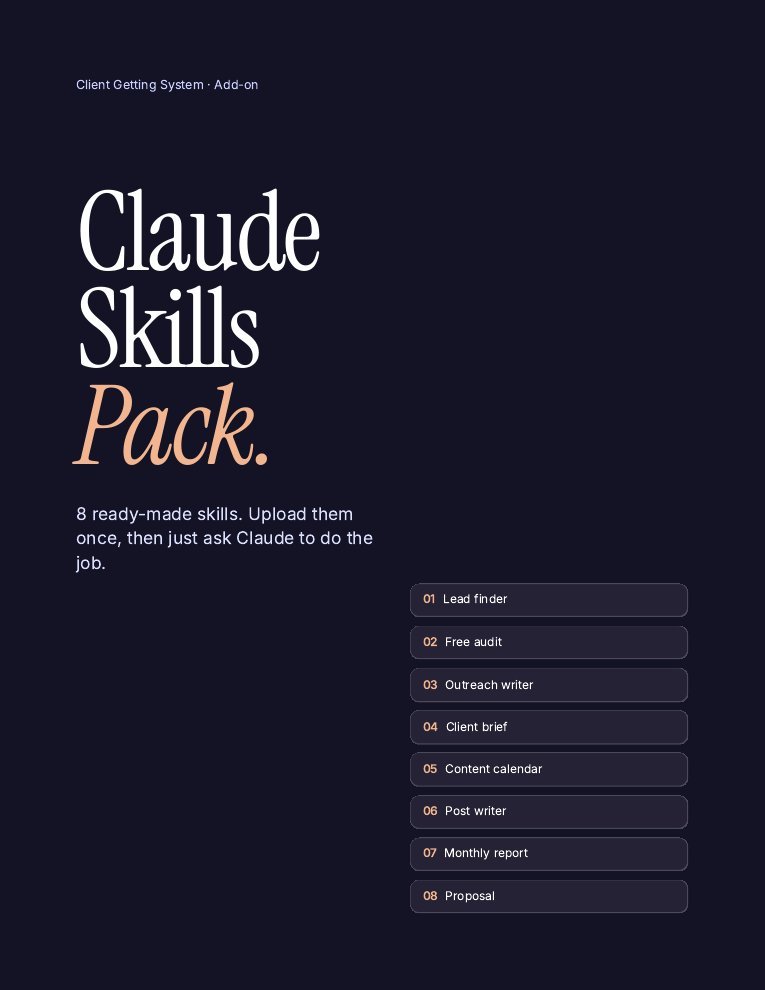
The Claude Skills Pack includes smm-client-brief: paste your onboarding answers and get a clean 1-page brief, with gaps marked as questions. Plus 7 more skills for calendars, posts, reports and proposals.
- Client brief from call notes
- 30-day content calendar from the brief
- Post writer in the client’s voice
- Monthly report + proposal writer
- Install guide (PDF)
One payment · Instant download · Works with the free Claude plan
How to write a social media brief fast
Collect answers before the call
Send the questionnaire first so the call is for gaps, not basics.
Write facts only
If the owner didn’t say it, it goes in “open questions”, not in the brief.
Get the client to confirm it
One “yes, that’s us” saves weeks of revisions later.
Use AI to draft, then check
Claude can turn messy notes into a brief in a minute. You check every line. See Claude for social media managers.
Brief mistakes
- Guessing. Invented differentiators lead to posts the owner hates.
- No never-post list. One wrong post can cost the client.
- Vague goals. “More engagement” can’t be reported.
- Never updated. Offers change; review the brief every quarter.
- Too long. Nobody reads page four.
FAQ
What is a social media brief?
A one-page document that sets out who the content is for, what it should say, how it should sound and how success is measured, either for a whole client or for one campaign.
What should a social media brief include?
For a client: the business, ideal customer, differentiators, voice, offers, 90-day goals, a never-post list and open questions. For a campaign: objective, audience, key message, offer, deliverables, timeline, approvals and measurement.
What is the difference between a client brief and a creative brief?
A client brief describes the whole business and is reused for every post. A creative or campaign brief is written for one project and focuses on deliverables and deadlines.
How long should a social media brief be?
One page. Extra detail belongs in the strategy or content calendar.
Is there a free social media brief template?
Yes. Use the sections and the free builder on this page, then copy the brief into a Google Doc. No email sign-up needed.
Can AI write a social media brief?
AI can turn onboarding answers into a clean draft quickly. Always check it against what the client actually said and mark gaps as questions.
Keep reading
Sources
- Brief sections: SMM Playbook’s client onboarding workflow and smm-client-brief skill (2026).
General information, not legal, tax or financial advice. Results depend on your effort and market. See our earnings disclaimer.